Skip to content
Lmostafa.dev

Lmostafa A. El Alaoui

Your ideas.
Built for you.

I’m Lmostafa. I design and build websites, mobile apps, business tools and interactive experiences.

Explore my work

i'm lmostafa, a developer based in morocco. i build custom websites, mobile apps, business tools, 3d software and scientific tools for the web, where medicine, code and design overlap. no templates. no bloat. just fast, distinctive work engineered to be remembered.

Selected work.

Different worlds. The same attention to detail.

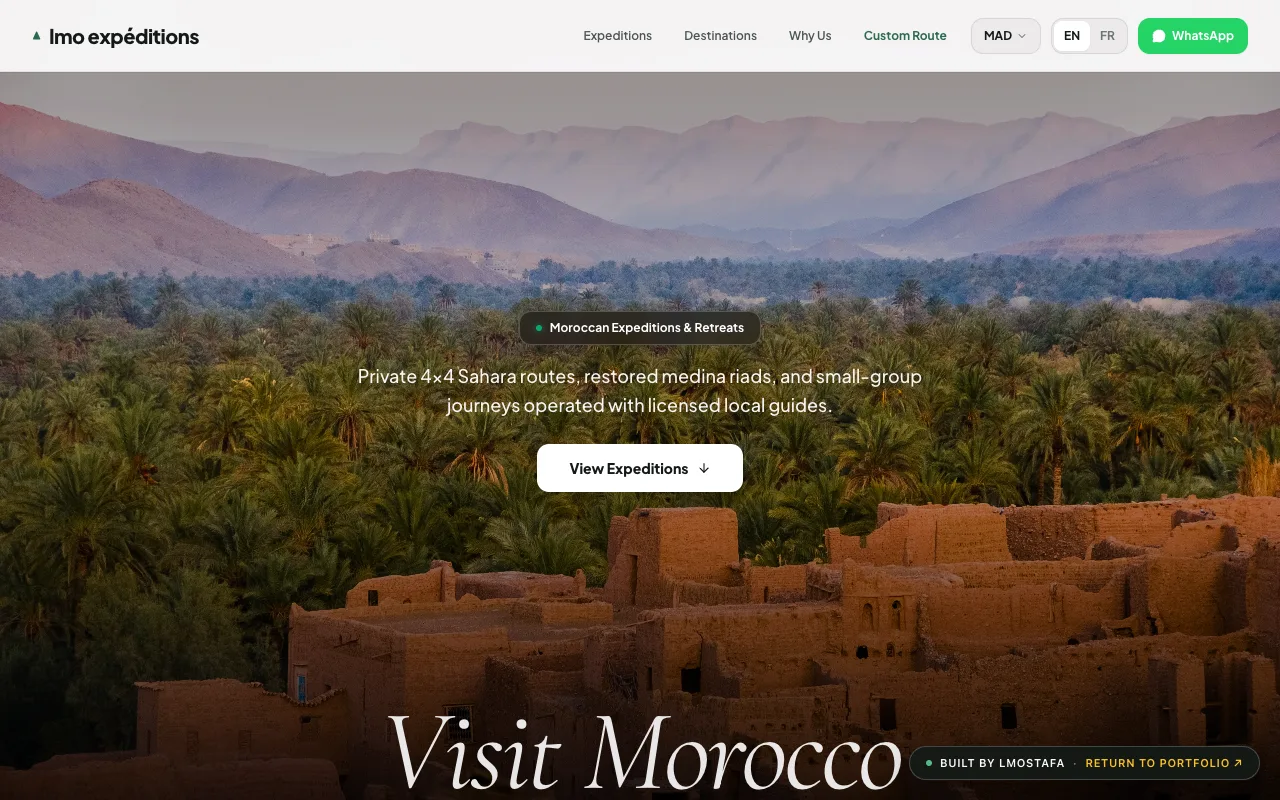
Preview of Maison Nomade, luxury expeditions

Commercial platform

Maison Nomade, luxury expeditions

A booking site for luxury tour operators. One codebase rethemes itself per brand. It builds WhatsApp itineraries in English or French, and converts between MAD, EUR and USD.
  • React 19
  • Tailwind v4
  • Bilingual EN/FR
  • White-label
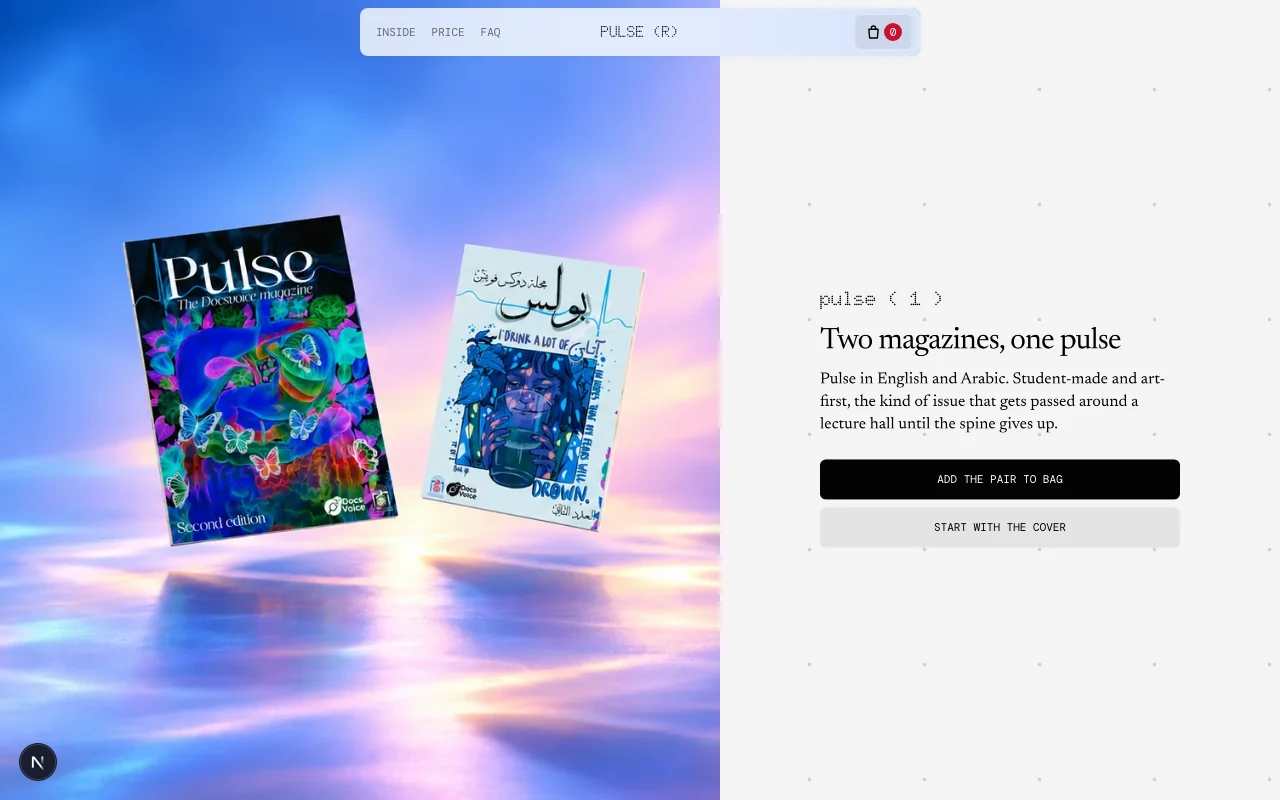
Preview of Pulse, from print to screen

Editorial commerce

Pulse, from print to screen

A student magazine presented through its real covers and inside pages. Explore the English and Arabic editions, build a bag, and prepare an order on WhatsApp or email.
  • Next.js
  • Editorial design
  • Print + digital
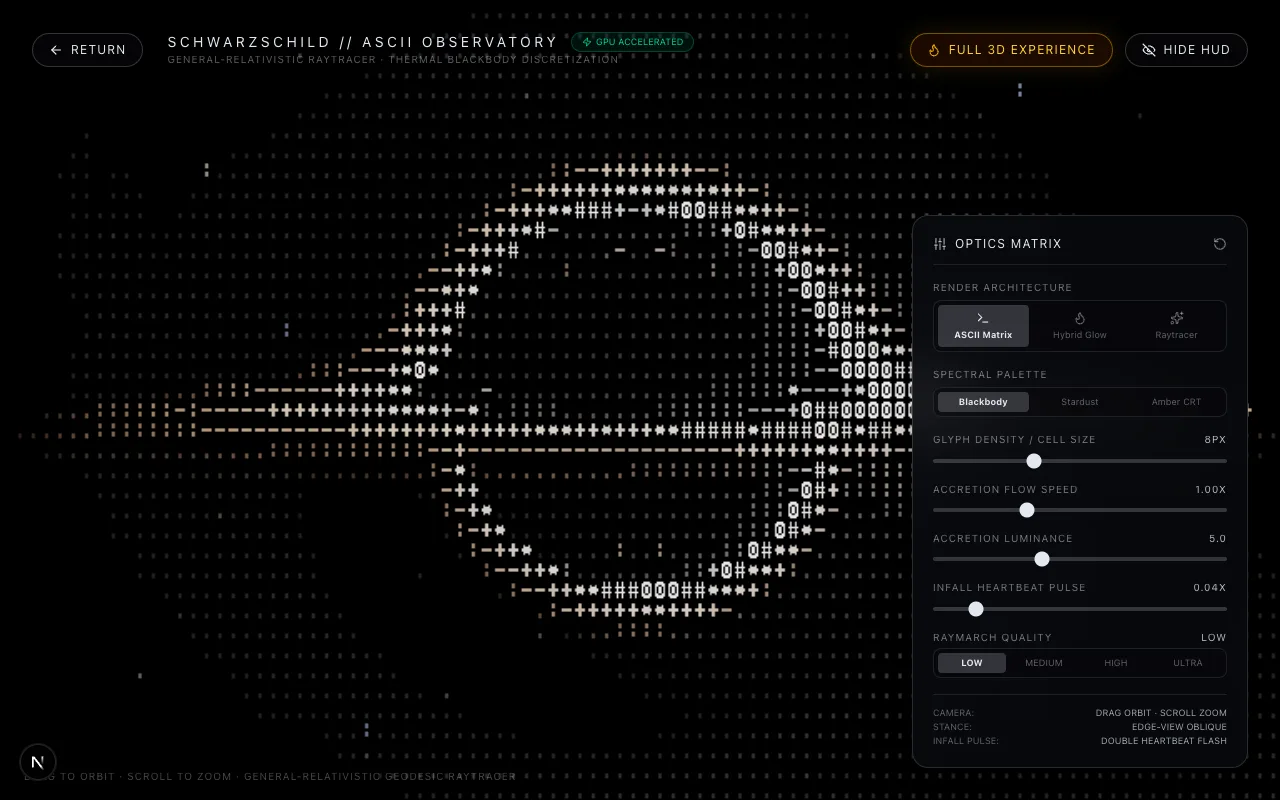
Preview of Schwarzschild optics laboratory

Relativistic simulation

Schwarzschild optics laboratory

A black hole raytracer. It integrates photon paths through curved spacetime in a fragment shader, with Doppler beaming and a thermal disc. Orbits use RK4.
  • WebGL2
  • GLSL
  • Raymarching
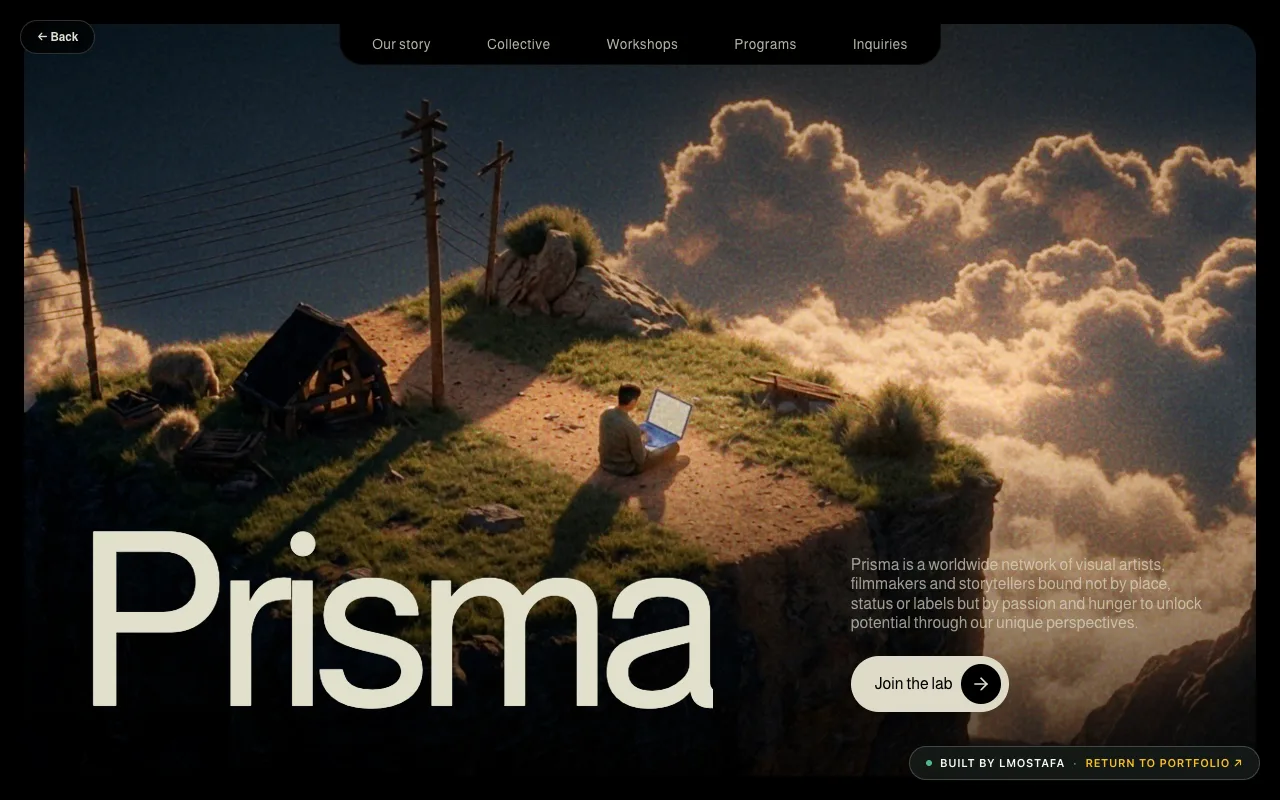
Preview of Prisma studio, a cinematic side project

Creative direction

Prisma studio, a cinematic side project

A dark portfolio for a film-style studio. Almarai and Instrument Serif type, grain over everything, lines that reveal as you scroll.
  • Editorial
  • Typography
  • Motion
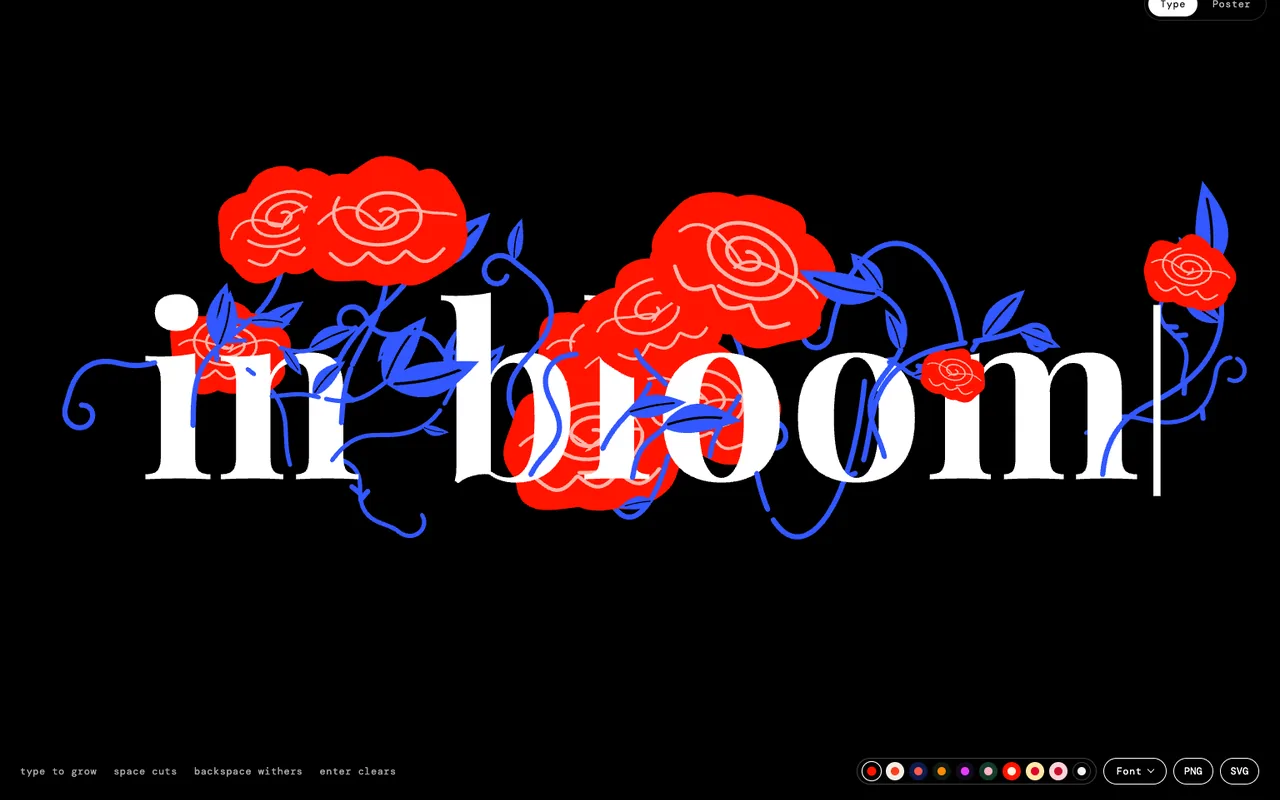
Preview of Text Garden, words that bloom

Interactive type toy

Text Garden, words that bloom

A botanical lettering toy. Type and each letter grows flowers, vines and leaves on canvas. Open the Poster editor for looping 1:1 artwork, then export PNG, SVG, GIF, MP4 or frames.
  • React
  • Canvas
  • Generative type
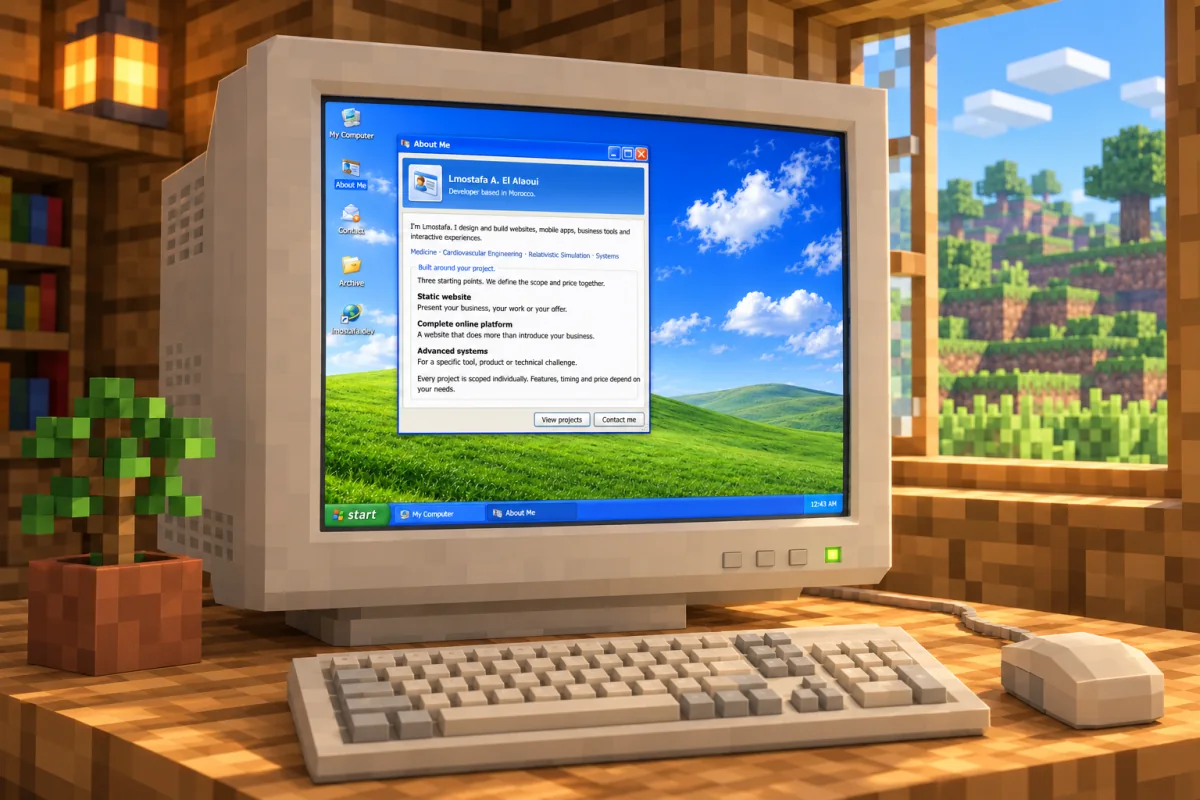
Minecraft-themed mock-up of the Windows XP desktop

Interactive desktop interface

XP edition, the portfolio as a desktop

This portfolio rebuilt as a Windows XP style desktop. Drag, resize, minimize and maximize windows, browse the projects in My Computer, and reach every live demo from the Start menu.
  • React
  • Next.js
  • CSS Modules
  • Interface design
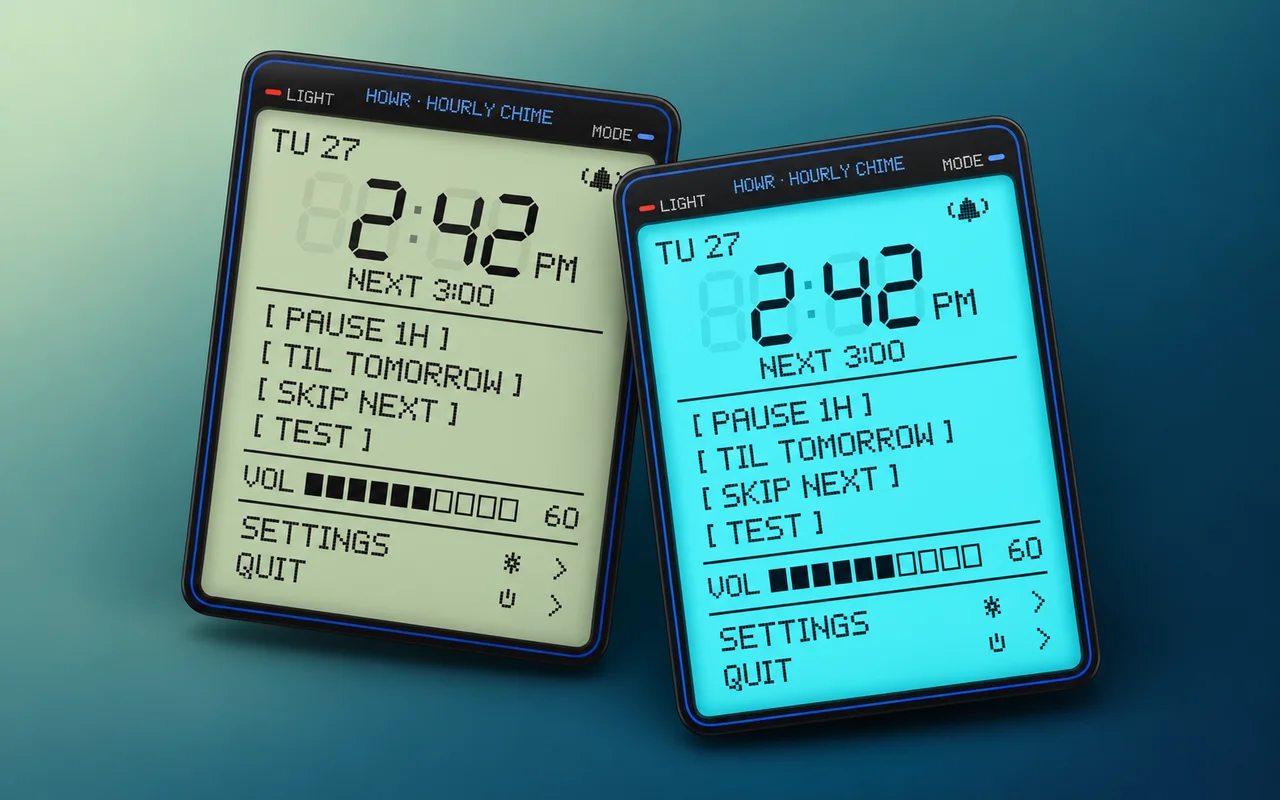
Generated concept of Howr’s daylight and backlit faces

Native macOS utility

Howr, a little sense of time

An hourly chime in the Mac menu bar, with the LCD face of a digital watch. Set your rhythm, pick a sound, and let the hours announce themselves.

  • Swift
  • AppKit + SwiftUI
  • Sound synthesis
  • Interface design

Built around your project.

Three starting points. We define the scope and price together.

Static website

Present your business, your work or your offer.

Price on request

  • Custom design
  • Mobile-friendly pages
  • Technical SEO and performance
  • Contact and forms
  • Launch and hosting setup

Complete online platform

A website that does more than introduce your business.

Price on request

  • Custom journeys and interfaces
  • Customer and administration areas
  • Dynamic content and data
  • Bookings or payments as needed
  • Integrations and automation

Advanced systems

For a specific tool, product or technical challenge.

Price on request

  • Technical scope and architecture
  • Business applications and tools
  • APIs and connected systems
  • 3D, AI or scientific tools
  • Maintenance and evolution to define

What’s your idea?

A website to launch, an interface to rethink, something a little out of the ordinary. Let’s talk.

Native macOS utility

Howr, a little sense of time

Howr brings back the small hourly signal of a digital watch. It sits in the Mac menu bar, with a watch-inspired LCD for the time, next chime and a handful of useful controls.

Rhythm
15, 30 or 60 minutes
Display
Daylight + backlight
Platform
macOS 14+ · Swift
Daylight LCD, rendered from the native macOS interface.
Daylight
Cyan backlight, rendered from the native macOS interface.
Backlight

The journey at a glance

  1. Choose your rhythm
  2. A familiar little instrument
  3. Built to stay in the background
Choose your rhythm

Chime every 15, 30 or 60 minutes. Choose synthesized sounds, a macOS alert or a voice announcing the time, then set the volume. Active hours and weekdays keep the schedule within your routine.

A familiar little instrument

Segmented digits, pixel lettering and a LIGHT button recall a pocket-sized digital watch. Switch between sage daylight and cyan backlight, pause for an hour or until tomorrow, or skip the next chime. The controls also work from the keyboard.

Built to stay in the background

The agent arms a timer for the next event. The interface and audio run in separate processes that exit when their work is done. Optional quiet rules suppress chimes while a microphone is recording or the screen is locked.

Explore inside the project

  • Chime every 15, 30 or 60 minutes
  • Choose sounds, speech and volume
  • Set active hours and weekdays
  • Pause, skip or test a chime
  • Switch daylight and backlight
  • Launch at login on macOS